Virtual Business Card · Guide
Sovereign agentic intelligence · Labarna AI

Your card, everywhere.

Intelligence, made sovereign.

One digital business card that lives in Labarna. Share it in a tap, save it to any phone, and scan the cards you're handed straight into your CRM — all from the Coach app you already carry. Here's how it works on your phone and at your desk.

On your phone · The Coach

Share and scan from the Coach.

The Labarna AI Coach sits on your home screen. From it you hand out your own card and capture the cards you're given — each in a single tap, filed straight to your pipeline.

  1. 1
    Open the CoachTap the Labarna AI Coach icon on your home screen — the same app you use every day.
  2. 2
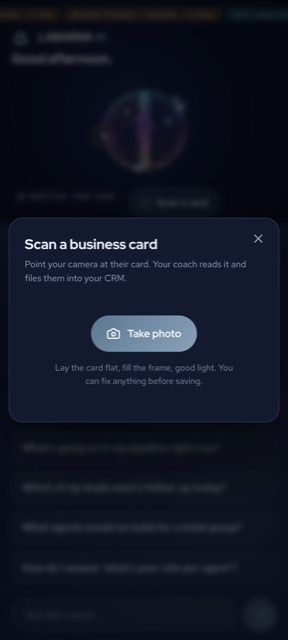
    Tap "Scan a card"It sits right on the home screen of the Coach, next to your pipeline.
  3. 3
    Photograph their cardLay it flat, fill the frame. The Coach reads every field automatically.
  4. 4
    Check & saveFix anything, add a pointer, and save — it lands in your CRM. Then the Coach researches them and coaches you on how to sell to them.
The Coach — your pipeline, a living brain
Scan a business card inside the Coach — point the camera and it reads the card
Scan → read → save → researched → how to sell to them

Every card you scan is yours.

Whoever scans owns that lead — it drops into your pipeline the moment you save, stamped to you. No shared pile, no retyping, no leads lost after an event. Already a contact? It opens the one you have.

  1. ✓
    Reads name, title, company, phone, email, websiteHigh-accuracy vision — you just confirm.
  2. ✓
    Researches them for youPulls live, cited web intel on their company and folds it into their profile — automatically.
  3. ✓
    Shows you how to sell to themTailored to their role and company — the angle, a strong opener, the objections they'll raise, and your next step.
Handing your card out

Share it any way — they save you in a tap.

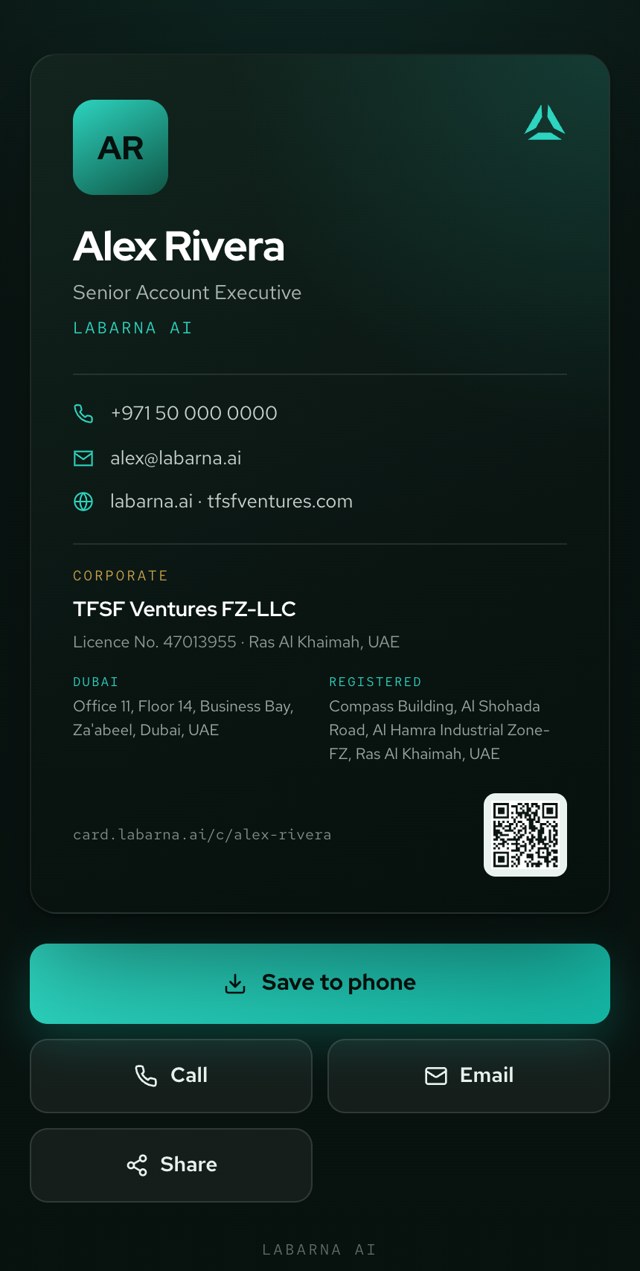
Send your card by link, QR, WhatsApp, text, email or an NFC tap. The person needs no app: they open it and hit Save to phone to add you to their contacts.

Your card at card.labarna.ai — with full corporate identity and QR
Your card — served at card.labarna.ai
At your desk · Settings

Build your card once.

In Labarna, open Settings → Virtual Business Card. Add your photo and details, watch the live preview, and save. That's it — the corporate identity, both offices and both websites are already filled in for everyone. New in the Coach? You'll see a link to this walkthrough until your card is set up.

Virtual Business Card
Share by tap, QR or link · saves to any phone
Full name
Title
Phone
Email
Headline
Save card
Settings → Virtual Business Card
  1. 1
    Open Settings → Virtual Business CardIn Labarna, on your laptop.
  2. 2
    Add your photo & detailsName, title, phone, email — the live preview updates as you type.
  3. 3
    SaveYou get your shareable link, QR and NFC — instantly.
  4. 4
    You're liveYour card is at card.labarna.ai/c/your-name. Corporate details are already on it.